


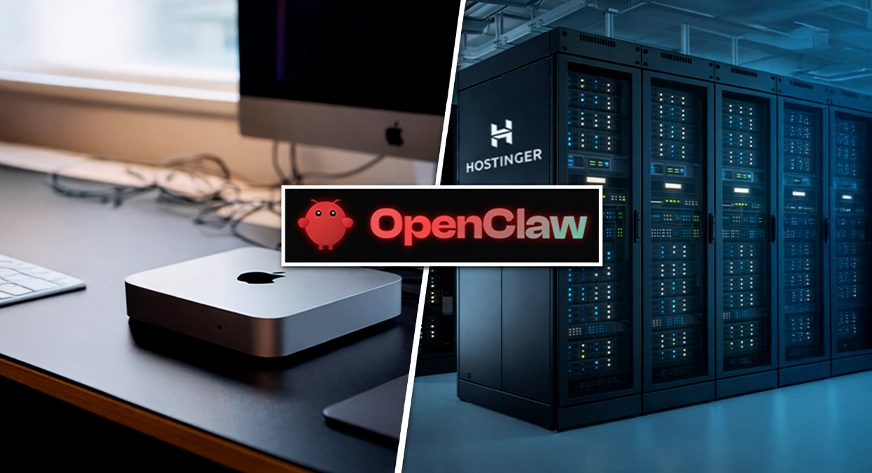
As of recent, the AI community has shifted its obsession from chatbots to agents. At the center of this storm is OpenClaw (formerly Moltbot), an open-source framework that allows AI to live on your hardware and act on your behalf.
However, a massive rift has formed in the developer community: The Hardware War. On one side, influencers are buying the new Mac Mini M4 as the ultimate “Agent Command Center.” On the other, senior DevOps engineers argue that running locally is a “security suicide mission,” advocating for isolated Cloud VPS deployments.
This article provides a comparison of performance, security, and cost of Mac mini vs Cloud VPS to help you decide where your agent should live.
Mac Mini M4: The “Gold Standard” for Personal Use
For many, the Mac Mini is the only logical choice for OpenClaw. Since the project’s rebranding (from Clawdbot → Moltbot → OpenClaw) in January 2026, the “M-series” architecture has become the reference hardware for several key reasons.
- iMessage Gravity: If you want your OpenClaw agent to reply to your blue-bubble texts, you must have a macOS environment. A VPS cannot do this natively.
- Local Inference Efficiency: Using Apple’s MLX framework, a Mac Mini can run a 7B or 14B model locally at 40+ tokens per second. If you did this on a VPS, you’d need a dedicated GPU instance costing over $100/month.
- Physical Sovereignty: Your data never leaves your house. For users accustomed to traditional computing, this “air-gapped” feel is a major selling point.
The M4’s Unified Memory allows the CPU and GPU to share the same RAM pool. Faster processing speed and no delays. The cheapest M4 Mac mini you can buy starts at ₹60,000 (~$600).
Cloud VPS: The “Sandboxed” Agent
VPS or Virtual Private Server has gained popularity since the hardware price for running LLMs became infeasible. While the Mac Mini is sleek, the privileges required for it function properly in an operating systems is alarming.
- Security: A recent vulnerability (CVE-2026-25253) allowed 1-click Remote Code Execution using OpenClaw. On a Mac Mini, an attacker gains a foothold in your home network. On a VPS, they get a “naked” Linux box with nothing to steal.
- Uptime is King: An agent meant to monitor your stocks or server logs 24/7 cannot be subject to your home’s “forced macOS updates” or a cat tripping over the power cord.
- Scalability: If your agent grows from a simple chatbot to a multi-agent team (using the popular Moltworker architecture), you can upgrade a VPS from 2GB to 32GB of RAM with a single click. You can’t add more RAM into a Mac Mini (as it’s soldered).
Unlike Mac mini, which is unique and specific of itself, Cloud VPS providers are different and serve different audiences. The names go from Hostinger which offers a variety of VPS plans to choose from, all the way to Contabo which offers AI assisted hosting at as low as $4 per month.
Here’s the list of other providers:
| Provider | Starting Price (USD/mo) | Entry Specs | Best For | Notes |
| Hostinger | $4.99 | 1 vCPU, 4GB RAM | Beginner-friendly setup | Simple dashboard, easy first VPS |
| Contabo | $4.73 | 4 vCPU, 6GB RAM | Best value for OpenClaw | Big specs per dollar (great for multi-agent + tools) |
| Hetzner | $4.51 | 2 vCPU, 4GB RAM | Reliability-first deployments | Strong uptime reputation and pricing |
| DigitalOcean | $6.00 | 1 vCPU, 2GB RAM | Clean dev experience | Best UX/docs for quick setup |
| Linode (Akamai) | $5.00 | 1 vCPU, 2GB RAM | Stable general-purpose VPS | Great docs; steady performance for always-on agents |
The best value for money is provided by Contabo.
Technical Comparison
| Metric | Mac Mini M4 (16GB/256GB) | Entry-Level VPS (e.g., Hostinger/DO) |
| Initial Cost | $599 (One-time) | $0 (Upfront) |
| Monthly Cost | ~$2 (Electricity) | $5 – $15 (Subscription) |
| Reliability | Vulnerable to home Wi-Fi/Power Outage | 99.9% Uptime (Data Center) |
| Scope | iMessage, Local Files, HomeKit | Webhooks, Slack, Telegram |
| Security Risk | High (Access to Local Network) | Low (Isolated Sandbox) |
| Inference | High (Metal GPU / 45+ tok/s) | CPU-bound (Slow for local LLMs) |
The winners across the 6 aspects are split evenly between the two infrastructures. This means there isn’t a clear winner, and the usage is heavily scenario specific. Unless, you want both!
The “Hybrid” Setup!
The most sophisticated users aren’t choosing one. Instead, they are using a Hybrid Architecture.
- The Gateway (VPS): Runs the OpenClaw control panel and public-facing Telegram/WhatsApp bots.
- The Worker (Mac Mini): A local node that connects to the VPS via a secure Tailscale tunnel.
This allows you to keep your iMessage integration and local file access while keeping the “exposed” part of the agent on a hardened cloud server. Albeit expensive, this hybrid setup makes up for the limitation of either infrastructure.
The Choice
If your goal is a personal assistant that manages your texts and local life, the Mac Mini M4 is an unbeatable piece of hardware, provided you wrap OpenClaw in a non-root Docker container (for security).
However, if you are building autonomous workflows for work or research, a Cloud VPS is the only way to ensure the security and uptime required in 2026.
Don’t let the “aesthetic” of a Mac Mini on your desk distract you from the architectural reality of agentic security. Also, the huge upfront cost of over $500 isn’t bearable by many. Considering the tech evolves with time, relying on dedicated VPS providers will be prudent for most users.
Frequently Asked Questions
A. A VPS is a remote cloud server that runs your agent securely and stays online 24/7.
A. It enables native iMessage integration and faster local LLM performance using Apple’s unified memory.
A. It combines VPS security and uptime with Mac Mini access to local files and macOS-only features.

I specialize in reviewing and refining AI-driven research, technical documentation, and content related to emerging AI technologies. My experience spans AI model training, data analysis, and information retrieval, allowing me to craft content that is both technically accurate and accessible.
Login to continue reading and enjoy expert-curated content.
