Close Menu
Scroll Tonic
  • Home
  • Smart Gadgets
  • AI & Daily Tools
  • Digital Well-Being
  • Home Office Setup
  • Productivity Apps

Subscribe to Updates

Stay updated with Smart Gadgets, AI tools, productivity apps, digital well-being tips, and smart home office ideas.

What's Hot

When product managers ship code: AI just broke the software org chart

This LG Smart Window AC with Heating and Smart Controls Is Just $400 Right Now

20+ Solved ML Projects to Boost Your Resume

Facebook X (Twitter) Instagram
Scroll Tonic
  • Home
  • Smart Gadgets
  • AI & Daily Tools
  • Digital Well-Being
  • Home Office Setup
  • Productivity Apps
Scroll Tonic
You are at:Home»Home Office Setup»Google will still let you sideload apps, but there’s a catch now
Home Office Setup

Google will still let you sideload apps, but there’s a catch now

team_scrolltonicBy team_scrolltonicMarch 21, 2026002 Mins Read
Share Facebook Twitter Pinterest LinkedIn Tumblr Email
Google will still let you sideload apps, but there's a catch now
Share
Facebook Twitter LinkedIn Pinterest Email

With the upcoming Android developer verification rules, there’s been a growing concern regarding Google effectively killing sideloading Android apps.

But Google says that’s not the case.

In a fresh blog post, the company basically confirmed that sideloading apps will still be possible, even from unverified developers, using a new system called “advanced flow.” So you’re not losing the handy feature; it’s just getting a little harder.

Social Media, Apps
Nadeem Sarwar / Digital Trends

What does advanced flow even do?

According to Google, advanced flow is designed as a one-time process for users who want to install apps from outside the Play Store. In the past, one simply had to toggle the “install from unknown sources” setting, but now, there is a multi-step verification process before one can proceed. This includes:

  • Enabling developer-related settings
  • Confirming that they’re not being scammed or coerced
  • Restarting the device
  • New wait time before installation
  • Authentication via PIN or biometrics

The simple idea behind the change is that Google wants to make Android sideloading more intentional and harder to abuse.

Why is Google doing this?

The new restrictions aren’t appearing out of the blue. This is a part of a broader change. Starting from September 2026, Android will require apps to come from verified developers. While the change will initially hit select regions, a wider roll out is expected later.

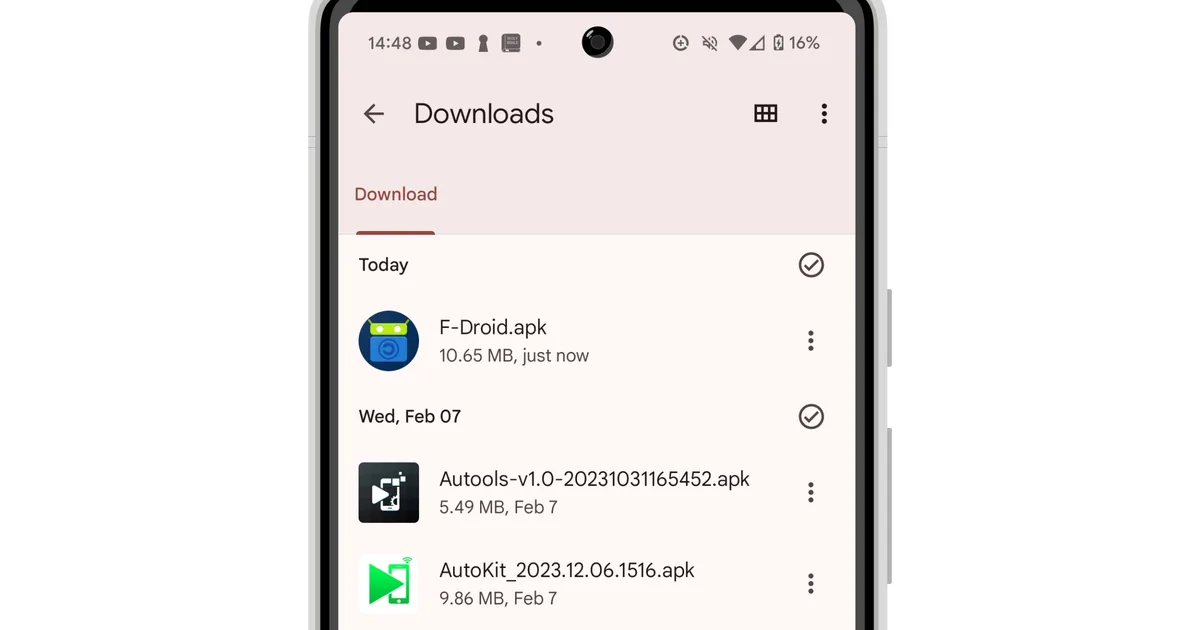
Android 14 Files by Google app showing a list of APK files in the Downloads folder.
Jesse Hollington / Digital Trends

Google’s aim is to make it harder for malicious developers to distribute harmful apps repeatedly under new identities. Regardless, the company acknowledges that sideloading is a core part of Android and its “open” nature. Thus, the option is still being kept alive, albeit in a slower way.

What this means for everyday users

The changes from Google don’t affect a majority of Android users, who stick with the Play Store for their apps. But for those who use third-party app stores, install APKs manually, and experiment with indie apps, sideloading is about to become a little more complicated.

Apps catch Google sideload
Share. Facebook Twitter Pinterest LinkedIn Tumblr Email
Previous ArticleThis Ultra-Slim Roborock Vacuum/Mop Combo Is $500 Off Right Now
Next Article Six Strength Training ‘Rules’ You Can Safely Ignore, According to the ACSM
team_scrolltonic
  • Website

Related Posts

You Can Get This 13-Inch M4 iPad Pro on Sale for $900 Right Now

March 30, 2026

The Retirement of SharePoint Alerts is a Pain in the Rear

March 29, 2026

How a TechRadar investigation pushed Surfshark to overhaul its data collection

March 27, 2026
Add A Comment
Leave A Reply Cancel Reply

Top Posts

Must-Have AI Tools for Work and Personal Productivity

February 9, 2026735 Views

Best AI Daily Tools for Notes and Task Planning

January 25, 2026730 Views

Punkt Has a New Smartphone for People Who Hate Smartphones

January 5, 2026727 Views
Stay In Touch
  • Facebook
  • Pinterest

Subscribe to Updates

Stay updated with Smart Gadgets, AI tools, productivity apps, digital well-being tips, and smart home office ideas.

Keep Scrolling. Stay Refreshed. Live Smart.
A modern digital lifestyle blog simplifying tech for everyday productivity and well-being.

Categories
  • AI & Daily Tools
  • Digital Well-Being
  • Home Office Setup
  • Productivity Apps
  • Smart Gadgets
  • Uncategorized
QUick Links
  • About Us
  • Contact Us
  • Disclaimer
  • Privacy Policy
  • Terms & Conditions

© 2026 Scroll Tonic | Keep Scrolling. Stay Refreshed. Live Smart.

Type above and press Enter to search. Press Esc to cancel.