Close Menu
Scroll Tonic
  • Home
  • Smart Gadgets
  • AI & Daily Tools
  • Digital Well-Being
  • Home Office Setup
  • Productivity Apps

Subscribe to Updates

Stay updated with Smart Gadgets, AI tools, productivity apps, digital well-being tips, and smart home office ideas.

What's Hot

When product managers ship code: AI just broke the software org chart

This LG Smart Window AC with Heating and Smart Controls Is Just $400 Right Now

20+ Solved ML Projects to Boost Your Resume

Facebook X (Twitter) Instagram
Scroll Tonic
  • Home
  • Smart Gadgets
  • AI & Daily Tools
  • Digital Well-Being
  • Home Office Setup
  • Productivity Apps
Scroll Tonic
You are at:Home»Productivity Apps»Apple Finally Has a Fix for Your iPhone’s Buggy Keyboard
Productivity Apps

Apple Finally Has a Fix for Your iPhone’s Buggy Keyboard

team_scrolltonicBy team_scrolltonicMarch 19, 2026003 Mins Read
Share Facebook Twitter Pinterest LinkedIn Tumblr Email
Apple Finally Has a Fix for Your iPhone's Buggy Keyboard
Share
Facebook Twitter LinkedIn Pinterest Email


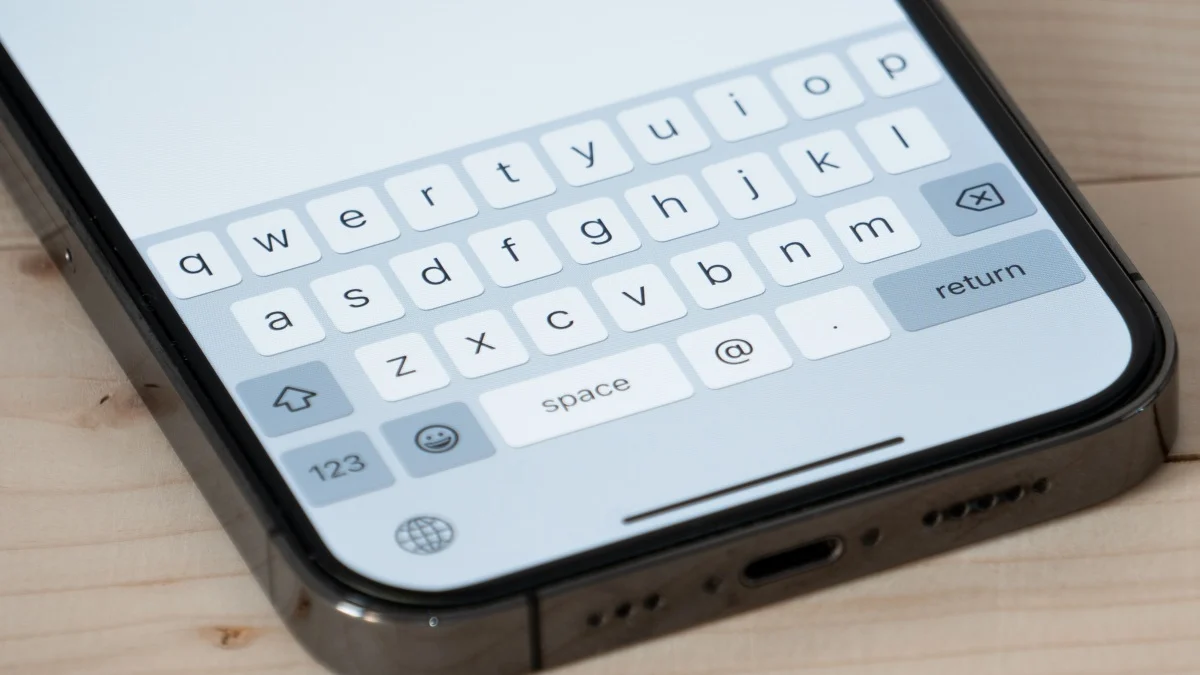
Apple’s next big update, iOS 26.4, is nearly here. While it won’t include the company’s long-awaited AI Siri upgrade, you will find new emojis, AI-generated playlists in Apple Music, and support for end-to-end encryption for RCS. But perhaps most welcome of all, to at least some iOS users, is one key patch: Apple is finally fixing the iPhone’s buggy keyboard.

iOS 26.4 patches this iPhone keyboard glitch

In the release notes for iOS 26.4’s Release Candidate, Apple lists many of the new additions we’ve already seen in previous beta updates. But buried at the bottom of Apple’s list of “enhancements” is the following: “Improved keyboard accuracy when typing quickly.” That’s…pretty underwhelming sounding, at least by itself. But this marks the first time since iOS 26’s release that Apple has directly addressed a widespread issue with the iPhone’s keyboard.

iphone 17

iphone 17

Across the internet, users have been complaining about inaccurate typing since that update launched back in September. That negative feedback has persisted with Apple’s subsequent updates, and, in fact, may have only gotten louder. When Apple dropped iOS 26.3, one Redditor posted the following to r/iPhone: “iOS 26.3 keyboard completely unusable—anyone else?” Another commenter concurs, writing, “Literally as of today it’s becoming completely unusable for me. Like it’s been bad for about [two-to-three] months and now it’s [truly] unusable.” In the same vein, there’s currently a lot of attention on r/Apple over the news of the keyboard patch. The top comment on this post reads: “I’ll beliebe it when insee it.” (The typos are presumably a joke, but not unusual for anyone typing too fast on a buggy iPhone keyboard.)

Whether the fix will satisfy these Redditors or not, it is likely not going to be the cure-all that every iOS user is looking for. This bug patch likely only addresses the specific bug that causes missed characters when a user types too fast—even though the key displays an animation when pressed. Hopefully, that issue is totally resolved here, but the iPhone’s keyboard was a source of contention before iOS 26 was even announced.


What do you think so far?

This is all up in the air until iOS 26.4 comes out, of course. Apple doesn’t have a release date yet, but now that the Release Candidate is here, the update could arrive imminently. In the meantime, there are some steps you can take to make your keyboard work a bit better for you—but if your issues are baked into the software, only Apple can really fix it.

Apple Buggy Finally Fix iPhones Keyboard
Share. Facebook Twitter Pinterest LinkedIn Tumblr Email
Previous ArticleVibe Coding with AI: Best Practices for Human-AI Collaboration in Software Development
Next Article I can finally make the UI of my Series X bright pink after the new Xbox dashboard update
team_scrolltonic
  • Website

Related Posts

This LG Smart Window AC with Heating and Smart Controls Is Just $400 Right Now

March 30, 2026

How AI Is Making Tax Scams Harder to Spot

March 29, 2026

Self-Healing Neural Networks in PyTorch: Fix Model Drift in Real Time Without Retraining

March 29, 2026
Add A Comment
Leave A Reply Cancel Reply

Top Posts

Must-Have AI Tools for Work and Personal Productivity

February 9, 2026735 Views

Best AI Daily Tools for Notes and Task Planning

January 25, 2026730 Views

Punkt Has a New Smartphone for People Who Hate Smartphones

January 5, 2026727 Views
Stay In Touch
  • Facebook
  • Pinterest

Subscribe to Updates

Stay updated with Smart Gadgets, AI tools, productivity apps, digital well-being tips, and smart home office ideas.

Keep Scrolling. Stay Refreshed. Live Smart.
A modern digital lifestyle blog simplifying tech for everyday productivity and well-being.

Categories
  • AI & Daily Tools
  • Digital Well-Being
  • Home Office Setup
  • Productivity Apps
  • Smart Gadgets
  • Uncategorized
QUick Links
  • About Us
  • Contact Us
  • Disclaimer
  • Privacy Policy
  • Terms & Conditions

© 2026 Scroll Tonic | Keep Scrolling. Stay Refreshed. Live Smart.

Type above and press Enter to search. Press Esc to cancel.