Close Menu
Scroll Tonic
  • Home
  • Smart Gadgets
  • AI & Daily Tools
  • Digital Well-Being
  • Home Office Setup
  • Productivity Apps

Subscribe to Updates

Stay updated with Smart Gadgets, AI tools, productivity apps, digital well-being tips, and smart home office ideas.

What's Hot

Who Makes NAPA’s Legend Batteries And Where Are They Manufactured?

The Tool Does Matter

Building a Personal AI Agent in a couple of Hours

Facebook X (Twitter) Instagram
Scroll Tonic
  • Home
  • Smart Gadgets
  • AI & Daily Tools
  • Digital Well-Being
  • Home Office Setup
  • Productivity Apps
Scroll Tonic
You are at:Home»Digital Well-Being»Apple Is Finally Letting You Use Your Own Payment Method in Family Sharing
Digital Well-Being

Apple Is Finally Letting You Use Your Own Payment Method in Family Sharing

team_scrolltonicBy team_scrolltonicMarch 20, 2026003 Mins Read
Share Facebook Twitter Pinterest LinkedIn Tumblr Email
Apple Is Finally Letting You Use Your Own Payment Method in Family Sharing
Share
Facebook Twitter LinkedIn Pinterest Email


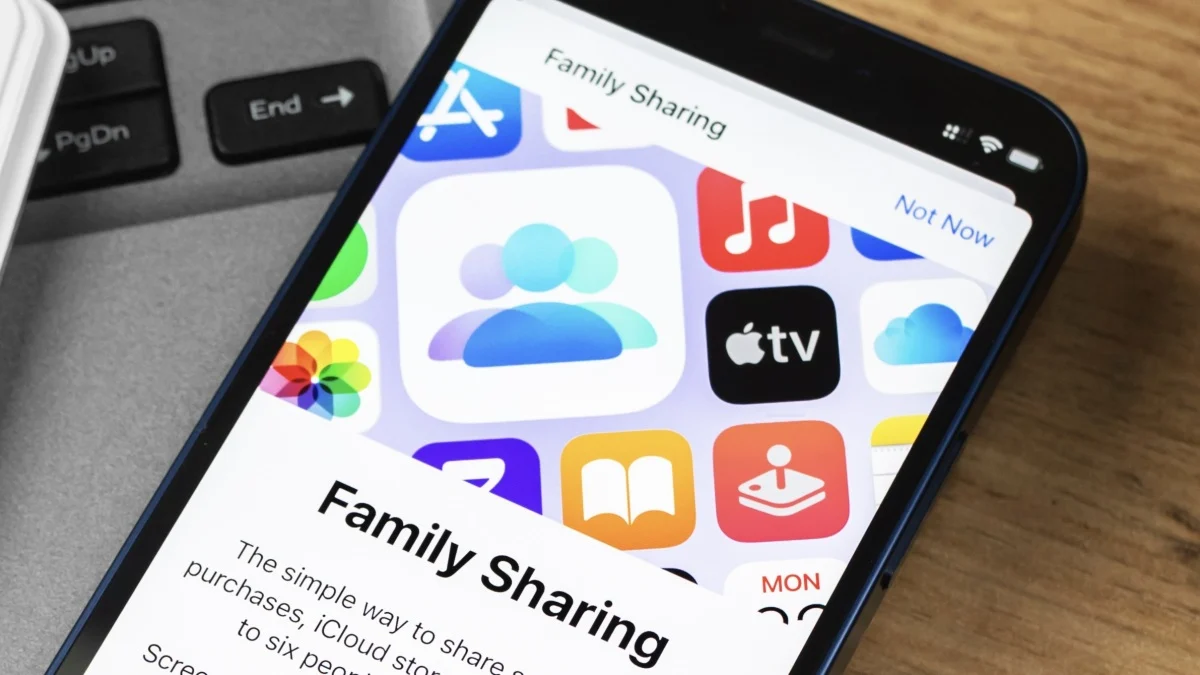
Apple is making a big change to Family Sharing with iOS 26.4: Once the update hits, you’ll be able to use your own payment method in Family Sharing groups that have Purchase Sharing turned on. This might sound small, but it’s a significant change to how Apple handles payments in these situations.

Payment Sharing no longer exclusively goes through the family organizer

Payment Sharing can be a convenient way for Family Sharing groups to take advantage of shared plans and content. That could include subscriptions, like Apple One, Apple Music, Apple TV, or Apple News+; purchased music from iTunes; movies and TV shows from the Apple TV app; books from Apple Books; or apps bought on the App Store. It means anyone within the family can access these items, but it also traditionally came with a limitation: With Purchase Sharing turned on, you couldn’t buy your own shared things. All purchases went through the payment method set up by the organizer of the family group, unless you happened to have an account balance from a gift card or allowance.

This makes a lot of sense when the family members are children, but not as much when those family members are adults. Not all Family Sharing groups are necessarily “families,” either: Friends can pool their accounts together to take advantage of shared services like iCloud plans. When all shared purchases go through one person’s credit card, it’s a bit of a pain.

That’s what iOS 26.4 is changing. Once you update, you can choose to put new shared purchases on your own card—assuming you are an adult. (Minors still need to go through the family organizer’s payment method.) If you want to sign the group up for Apple Fitness+, you can pay for it; if you want to buy a movie on the Apple TV app that others can watch too, that can come from your card. It’s a long overdue update to the system that will make Family Sharing groups a bit easier to use for adults.


What do you think so far?

What else is new with iOS 26.4

Apple has a number of new features and changes coming with iOS 26.4. In addition to this Family Sharing update, Apple Music gets a visual overhaul, plus you can now generate playlists with AI. There are eight new emojis rolling out here, following the Unicode 17 standard, plus Apple finally fixed iOS 26’s buggy keyboard.

While iOS 26.4 is still technically in beta testing, Apple rolled out the Release Candidate this week. Barring any major bugs, this is the version of iOS 26.4 that will launch to the public, and we’ll likely see it sometime next week.

Apple family Finally Letting method Payment Sharing
Share. Facebook Twitter Pinterest LinkedIn Tumblr Email
Previous ArticleBest Kids’ Bikes (2026): Woom, Prevelo, Guardian, and More
Next Article 101 Blockchains Rejoins Paris Blockchain Week 2026 as an Official Partner
team_scrolltonic
  • Website

Related Posts

This ASUS ROG Strix Gaming Monitor Is 33% Off for Amazon’s Spring Sale

March 31, 2026

The Best Deals on Smart Home Products From Amazon’s Big Spring Sale

March 30, 2026

How to Start Playing Daily Cryptic Puzzles

March 29, 2026
Add A Comment
Leave A Reply Cancel Reply

Top Posts

Must-Have AI Tools for Work and Personal Productivity

February 9, 2026736 Views

Best AI Daily Tools for Notes and Task Planning

January 25, 2026730 Views

Punkt Has a New Smartphone for People Who Hate Smartphones

January 5, 2026727 Views
Stay In Touch
  • Facebook
  • Pinterest

Subscribe to Updates

Stay updated with Smart Gadgets, AI tools, productivity apps, digital well-being tips, and smart home office ideas.

Keep Scrolling. Stay Refreshed. Live Smart.
A modern digital lifestyle blog simplifying tech for everyday productivity and well-being.

Categories
  • AI & Daily Tools
  • Digital Well-Being
  • Home Office Setup
  • Productivity Apps
  • Smart Gadgets
  • Uncategorized
QUick Links
  • About Us
  • Contact Us
  • Disclaimer
  • Privacy Policy
  • Terms & Conditions

© 2026 Scroll Tonic | Keep Scrolling. Stay Refreshed. Live Smart.

Type above and press Enter to search. Press Esc to cancel.