Close Menu
Scroll Tonic
  • Home
  • Smart Gadgets
  • AI & Daily Tools
  • Digital Well-Being
  • Home Office Setup
  • Productivity Apps

Subscribe to Updates

Stay updated with Smart Gadgets, AI tools, productivity apps, digital well-being tips, and smart home office ideas.

What's Hot

12 Of The Best LEGO Car Sets Ever Made

Real Examples and How to Fix Them

The Anker Nebula P1i Projector Is Over $70 Off Right Now

Facebook X (Twitter) Instagram
Scroll Tonic
  • Home
  • Smart Gadgets
  • AI & Daily Tools
  • Digital Well-Being
  • Home Office Setup
  • Productivity Apps
Scroll Tonic
You are at:Home»Home Office Setup»Canva now integrates with your work apps so you can get more done without leaving the platform
Home Office Setup

Canva now integrates with your work apps so you can get more done without leaving the platform

team_scrolltonicBy team_scrolltonicApril 16, 2026002 Mins Read
Share Facebook Twitter Pinterest LinkedIn Tumblr Email
Canva now integrates with your work apps so you can get more done without leaving the platform
Share
Facebook Twitter LinkedIn Pinterest Email

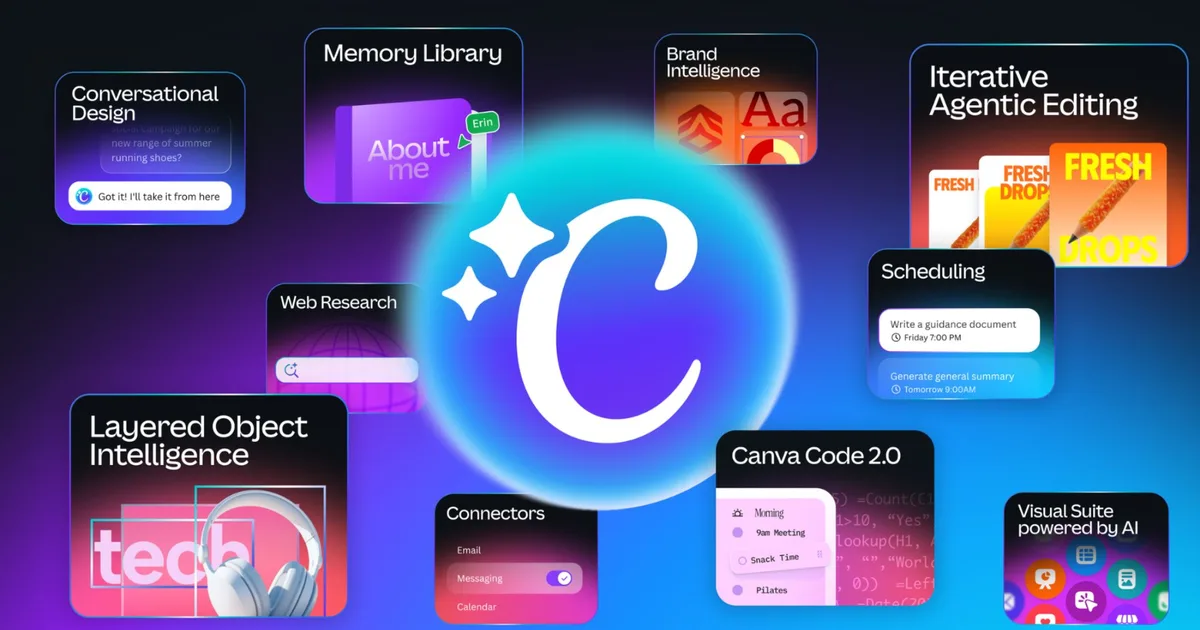
In addition to introducing a new conversational, AI-powered design workflow, Canva today announced that it is expanding beyond design with integrations that aim to help users access information from commonly used productivity tools without leaving the platform. The Canva AI 2.0 update is centered around reducing the need to switch between apps while creating and managing projects.

Pull data from connected apps

With new connectors, users can link Canva to services like Slack, Gmail, Google Drive, Google Calendar, Zoom, and Notion. This allows its AI to pull in context from conversations, files, and schedules to generate relevant content.

Connectors in Canva.
Canva

For example, users can turn meeting transcripts into summaries, convert email threads into structured documents, or generate newsletters based on team activity across Slack. The connectors aim to reduce the friction of moving information between apps and ensure nothing important gets lost in the process. By keeping everything within a single interface, the platform also aims to streamline workflows and save time.

Similar capabilities are already available in other AI tools, which can pull context from documents and conversations in connected apps. However, Canva’s approach ties this directly into content creation, allowing users to act on that information without leaving the platform.

Content stays consistent and structured across tasks

Canva is also adding built-in web research, allowing users to gather and structure information from across the web directly into their projects. Furthermore, a new “Brand Intelligence” feature helps ensure that everything a user generates aligns with their brand’s style, tone, and visual identity, reducing the need for manual edits.

Canva AI 2.0 Brand Intelligence
Canva

Additionally, a new “Sheets AI” feature can generate structured spreadsheets populated with relevant data, from project timelines to content calendars. These sheets arrive pre-filled and formatted, ready to use without any setup. Together, these features aim to elevate Canva from a design tool to a more unified workspace, where content creation, data, and context are connected rather than spread across multiple apps.

Canva AI 2.0 AI Sheets.
Canva

Canva AI 2.0 is launching as a research preview starting today, rolling out to the first one million users who discovered it on the Canva homepage. The company says access will expand to more users over the coming weeks.

Apps Canva integrates leaving Platform work
Share. Facebook Twitter Pinterest LinkedIn Tumblr Email
Previous ArticleAdobe’s new Firefly AI Assistant wants to run Photoshop, Premiere, Illustrator and more from one prompt
Next Article The Anker Nebula P1i Projector Is Over $70 Off Right Now
team_scrolltonic
  • Website

Related Posts

Best Smart Smoke Detector (and Why You Still Need a Dumb One)

April 15, 2026

The Pixel 10 Pro Fold Is $300 Off Right Now

April 14, 2026

Writing PowerShell for the Eventually Consistent Entra ID Database

April 13, 2026
Add A Comment
Leave A Reply Cancel Reply

Top Posts

Must-Have AI Tools for Work and Personal Productivity

February 9, 2026736 Views

Best AI Daily Tools for Notes and Task Planning

January 25, 2026730 Views

Punkt Has a New Smartphone for People Who Hate Smartphones

January 5, 2026729 Views
Stay In Touch
  • Facebook
  • Pinterest

Subscribe to Updates

Stay updated with Smart Gadgets, AI tools, productivity apps, digital well-being tips, and smart home office ideas.

Keep Scrolling. Stay Refreshed. Live Smart.
A modern digital lifestyle blog simplifying tech for everyday productivity and well-being.

Categories
  • AI & Daily Tools
  • Digital Well-Being
  • Home Office Setup
  • Productivity Apps
  • Smart Gadgets
  • Uncategorized
QUick Links
  • About Us
  • Contact Us
  • Disclaimer
  • Privacy Policy
  • Terms & Conditions

© 2026 Scroll Tonic | Keep Scrolling. Stay Refreshed. Live Smart.

Type above and press Enter to search. Press Esc to cancel.