Close Menu
Scroll Tonic
  • Home
  • Smart Gadgets
  • AI & Daily Tools
  • Digital Well-Being
  • Home Office Setup
  • Productivity Apps

Subscribe to Updates

Stay updated with Smart Gadgets, AI tools, productivity apps, digital well-being tips, and smart home office ideas.

What's Hot

12 Of The Best LEGO Car Sets Ever Made

Real Examples and How to Fix Them

The Anker Nebula P1i Projector Is Over $70 Off Right Now

Facebook X (Twitter) Instagram
Scroll Tonic
  • Home
  • Smart Gadgets
  • AI & Daily Tools
  • Digital Well-Being
  • Home Office Setup
  • Productivity Apps
Scroll Tonic
You are at:Home»Digital Well-Being»The Anker Nebula P1i Projector Is Over $70 Off Right Now
Digital Well-Being

The Anker Nebula P1i Projector Is Over $70 Off Right Now

team_scrolltonicBy team_scrolltonicApril 16, 2026002 Mins Read
Share Facebook Twitter Pinterest LinkedIn Tumblr Email
The Anker Nebula P1i Projector Is Over $70 Off Right Now
Share
Facebook Twitter LinkedIn Pinterest Email

We may earn a commission from links on this page.
Deal pricing and availability subject to change after time of publication.


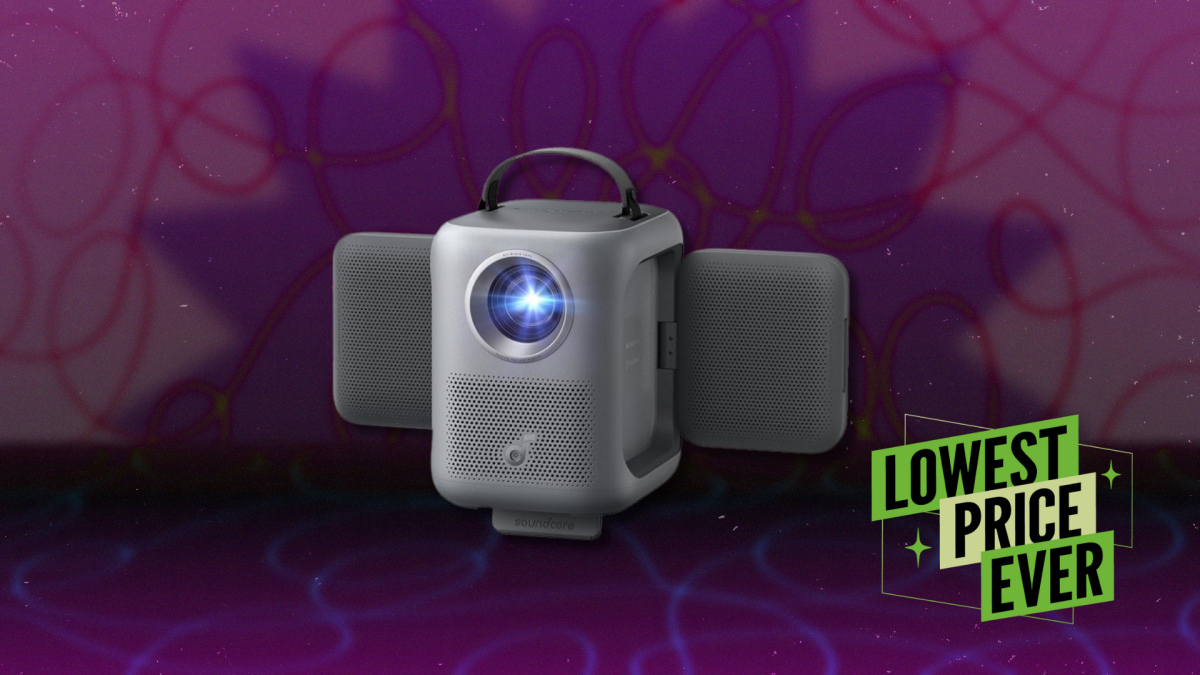
Anker’s Nebula P1i Portable Projector is down to $295 on Amazon from its usual $369, and according to price trackers, that’s the lowest it has gone so far. That makes it one of the more affordable ways to get a full HD projector with built-in streaming. The P1i is designed around convenience—it runs Google TV out of the box, so you can jump straight into apps like Netflix without plugging in a streaming stick. Setup is also simple: Anker’s Smart Instant Setup handles autofocus, keystone correction, and screen alignment, so you can place it down and get a usable image in seconds.

At just under five pounds, it’s also easy to move, although that light build comes with a small downside. If the projector gets nudged, the image can shift, which means you may need to readjust it. Using a tripod helps, especially if you’re setting it up outdoors or want something more stable at home. In terms of connections, it keeps things simple with one HDMI port, a USB-A slot, and a headphone jack. You can hook up a console or streaming device if you want, but the built-in interface already covers most use cases. The Nebula P1i can accept a 4K signal but scales it down to 1080p, which is fine for movies and casual viewing.


What do you think so far?

While the image looks good in the center with colors that come across as fairly natural, the edges soften a bit if you’re projecting at an angle. Brightness is another constraint, so it performs best at night or in a dark room—daytime viewing with ambient light washes out a lot of detail. Also, while its fold-out speakers are loud enough for a small gathering and make voices easy to follow, they lack depth, so movies do not feel as full as they should. You can pair Bluetooth speakers for better audio, but that adds to both cost and setup. There’s also no built-in battery, so it always needs to stay plugged in, which takes away some of the flexibility you might expect from a portable projector.


Our Best Editor-Vetted Tech Deals Right Now

Deals are selected by our commerce team

Anker Nebula P1i Projector
Share. Facebook Twitter Pinterest LinkedIn Tumblr Email
Previous ArticleCanva now integrates with your work apps so you can get more done without leaving the platform
Next Article Real Examples and How to Fix Them
team_scrolltonic
  • Website

Related Posts

Was the Artemis II Mission Fake?: What People Are Getting Wrong This Week

April 15, 2026

Why Your Back Hurts, and What You Can Do About It

April 14, 2026

You Can Now Customize the Keyboard on Your Samsung Galaxy

April 13, 2026
Add A Comment
Leave A Reply Cancel Reply

Top Posts

Must-Have AI Tools for Work and Personal Productivity

February 9, 2026736 Views

Best AI Daily Tools for Notes and Task Planning

January 25, 2026730 Views

Punkt Has a New Smartphone for People Who Hate Smartphones

January 5, 2026729 Views
Stay In Touch
  • Facebook
  • Pinterest

Subscribe to Updates

Stay updated with Smart Gadgets, AI tools, productivity apps, digital well-being tips, and smart home office ideas.

Keep Scrolling. Stay Refreshed. Live Smart.
A modern digital lifestyle blog simplifying tech for everyday productivity and well-being.

Categories
  • AI & Daily Tools
  • Digital Well-Being
  • Home Office Setup
  • Productivity Apps
  • Smart Gadgets
  • Uncategorized
QUick Links
  • About Us
  • Contact Us
  • Disclaimer
  • Privacy Policy
  • Terms & Conditions

© 2026 Scroll Tonic | Keep Scrolling. Stay Refreshed. Live Smart.

Type above and press Enter to search. Press Esc to cancel.